Errors
Use this page to find and resolve appointmentsAppointmentA task scheduled to a resource for a specific period - the scheduled instance you see on the planning board. that failed to sync. It lists every appointment in the faulted state, so an administrator knows exactly what needs attention.
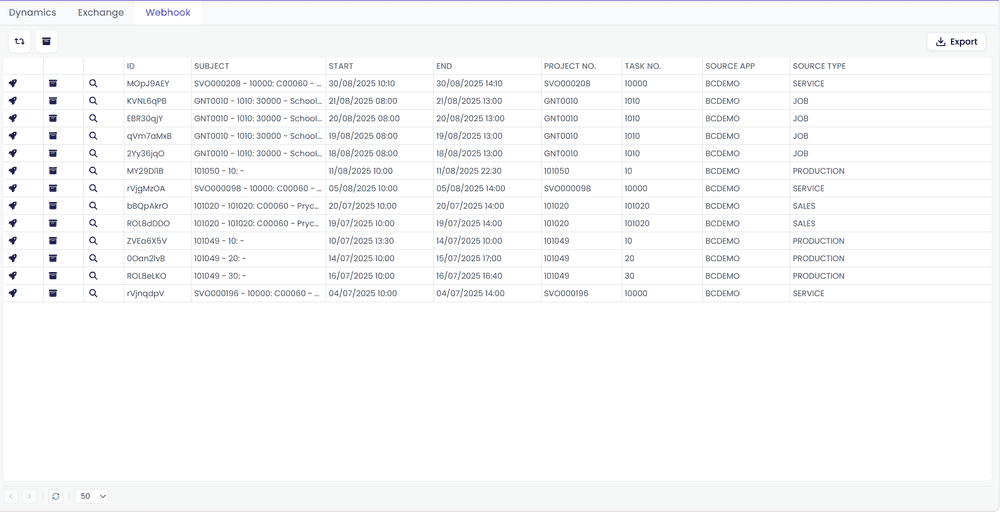
The view is split into three tabs - Dynamics, Exchange, and Webhook - one per connectorConnectorAn integration that links Dime.Scheduler to a back-office system, routing data in and scheduling decisions back out. family. Each tab shows only the failures from that connector type, so you can work through one integration at a time without juggling filters.
Details
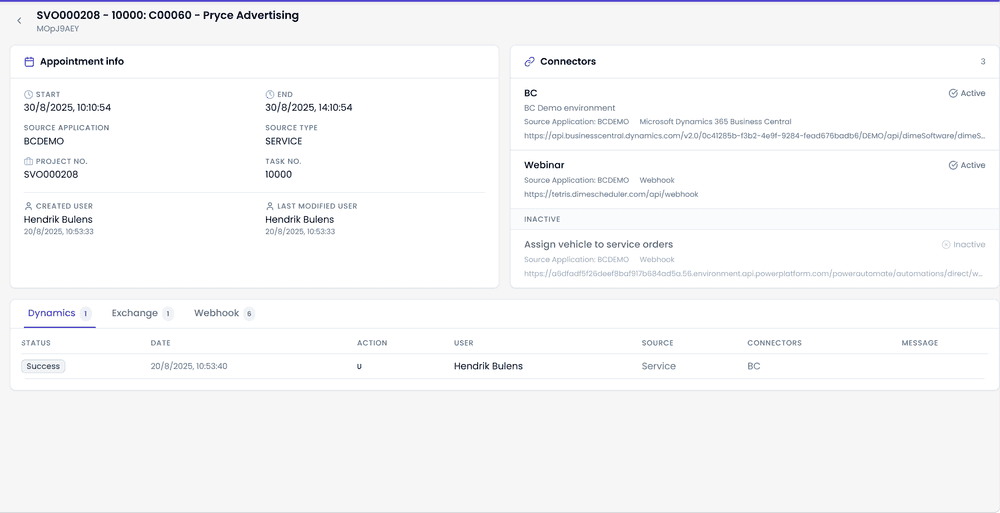
Click the magnifying glass icon to drill into a faulted appointment. The details page summarizes the appointment's info, the connectors assigned to it, and the list of transactionsTransactionThe recorded call Dime.Scheduler makes to a connected system when the planning changes. It counts as successful on an HTTP 200, which means the endpoint received it, not that the back office processed it. with their statuses.
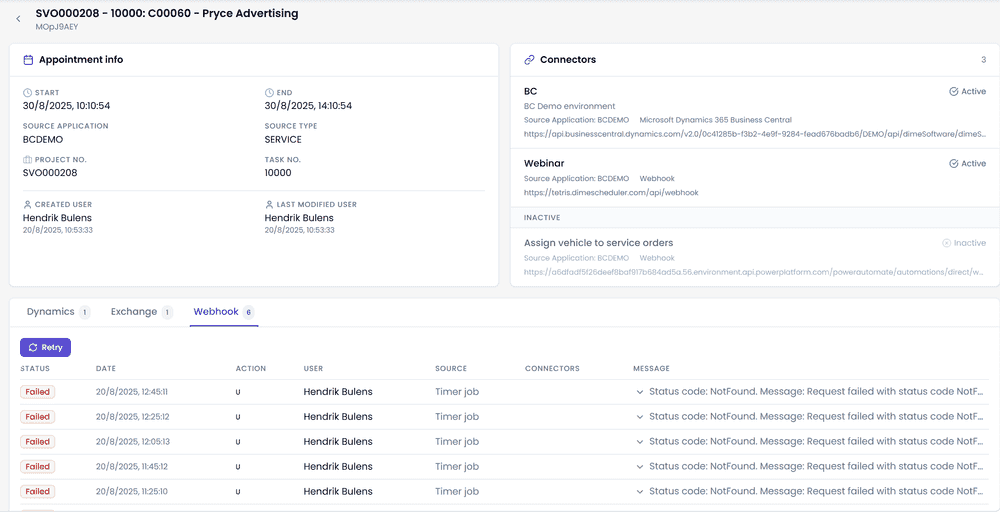
When the last transaction of a connector did not succeed, you can retry it with the button inside that connector's transactions grid.
Archive
If a failure is safe to ignore, archive the appointment. Archive every failed appointment at once, or archive a single one with its scoped button.
Retry
To retry failed appointments straight from the list view, click the button.