Transactions
Every time Dime.Scheduler calls out to a connected system, it logs the call here as a transactionTransactionThe recorded call Dime.Scheduler makes to a connected system when the planning changes. It counts as successful on an HTTP 200, which means the endpoint received it, not that the back office processed it.. When a planner says "I made that change ten minutes ago and it still hasn't reached BC", this is the page where you find out whether the call went out at all, what came back, and (when needed) where to retry from. Transactions are listed most recent first.
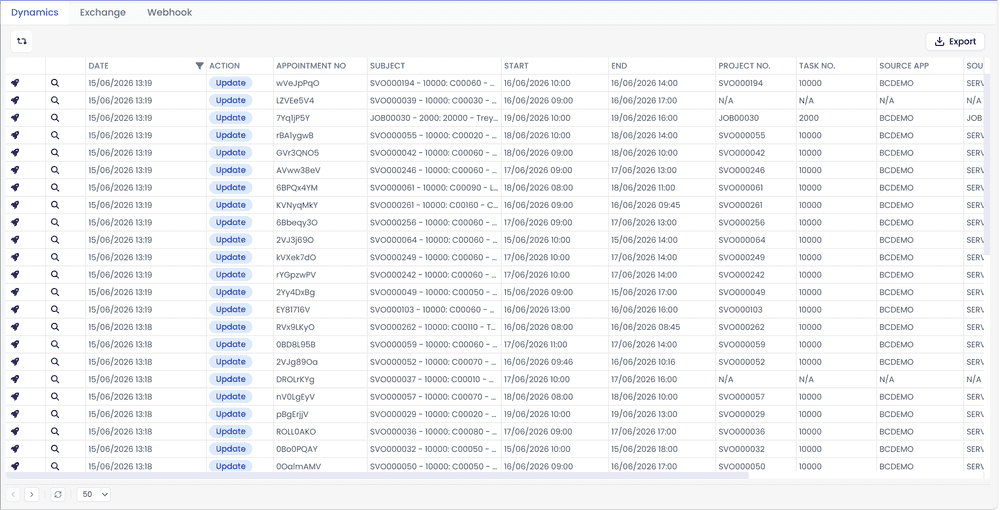
The view splits into three tabs - Dynamics, Exchange, and Webhook - one per connectorConnectorAn integration that links Dime.Scheduler to a back-office system, routing data in and scheduling decisions back out. family. Each transaction stays scoped to the integration it came from, so a stuck Exchange sync never gets buried under BC traffic.
Where transactions come from
A transaction can be triggered by one of three sources, shown in the Source column:
- Service - the regular path. A planner moved something on the board; the service fired the transaction.
- Website - an administrator clicked Retry on a failed transaction from this page or from the appointment detail.
- Timer job - the background retry job picked up an appointmentAppointmentA task scheduled to a resource for a specific period - the scheduled instance you see on the planning board. that was still in a state worth retrying.
For the full picture of how transactions are evaluated and retried, see the Transactions overview.