Vehicle Routing Problem (VRP)
This feature is currently in preview. Its functionality, API, and behavior may change without notice between releases. Breaking changes can occur as we iterate on the design. It is not recommended for use in production environments.
What is the Vehicle Routing Problem?
The Vehicle Routing Problem (VRP) is a combinatorial optimization problem that asks:
What is the optimal set of routes for a fleet of vehicles to traverse in order to deliver to a given set of customers?
The VRP generalizes the Traveling Salesman Problem (TSP) by considering multiple vehicles instead of a single route. Like the TSP, the VRP is NP-hard, making it computationally challenging. However, it has many practical applications in logistics, delivery services, waste collection, and transportation. The standard objective is to minimize total route cost, though other objectives like minimizing the number of vehicles used or total distance traveled are also common.
How it works
The VRP algorithm considers multiple planning variables to generate optimal schedules:
Resources:
- Availability
- Resource filters
- Location
Tasks:
- Time windows
- Resource filters
- Priority
- Location
The algorithm takes in the selected resources and tasks to plan, along with their metadata, and automatically generates a schedule. It evaluates all these variables, generates a score, and iteratively tries millions of times to improve that score, resulting in an optimized schedule that balances all constraints and objectives.
Open tasks
In the open tasks list, select the items that you want to automatically schedule. Right click to open the context menu, and call the "Run field service solver". This opens the following window:
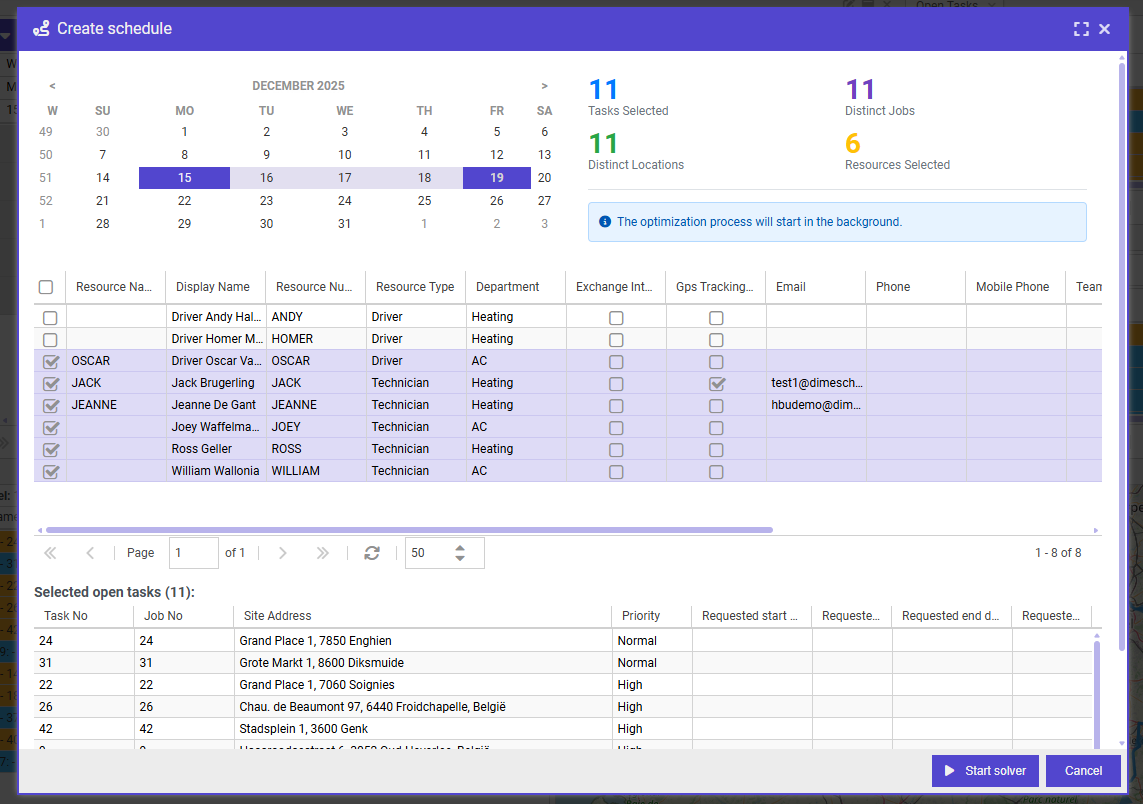
Select a date range that the solver must plan in, as well as the resources that must be incorporated. To run the solver, click the "Start solver" button, which will run a task in the background to create the schedule.
Planning Board
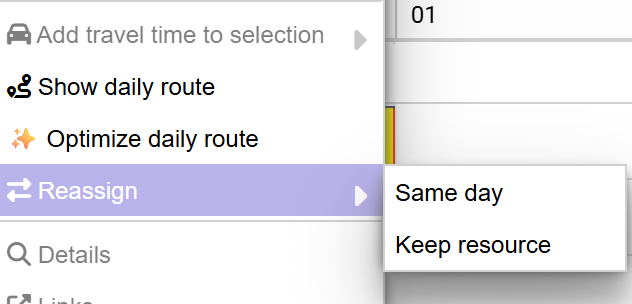
The VRP solver can now be invoked directly from the planning board, allowing you to automatically reassign the planning of a resource for a day. When using the solver from the planning board, you have two reassignment options:
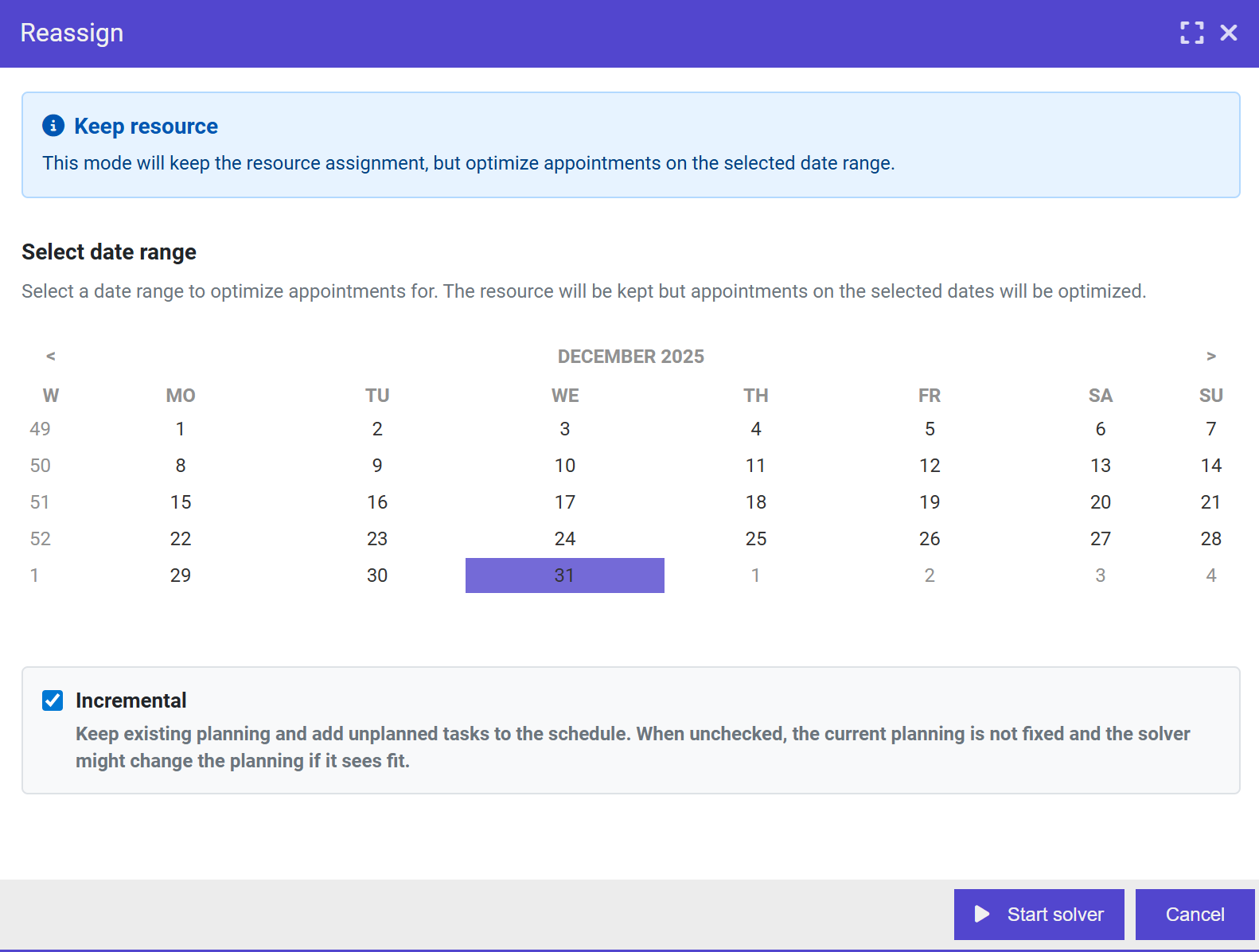
- Keep resource: The solver will keep the resource assigned but may change the date/time of appointments
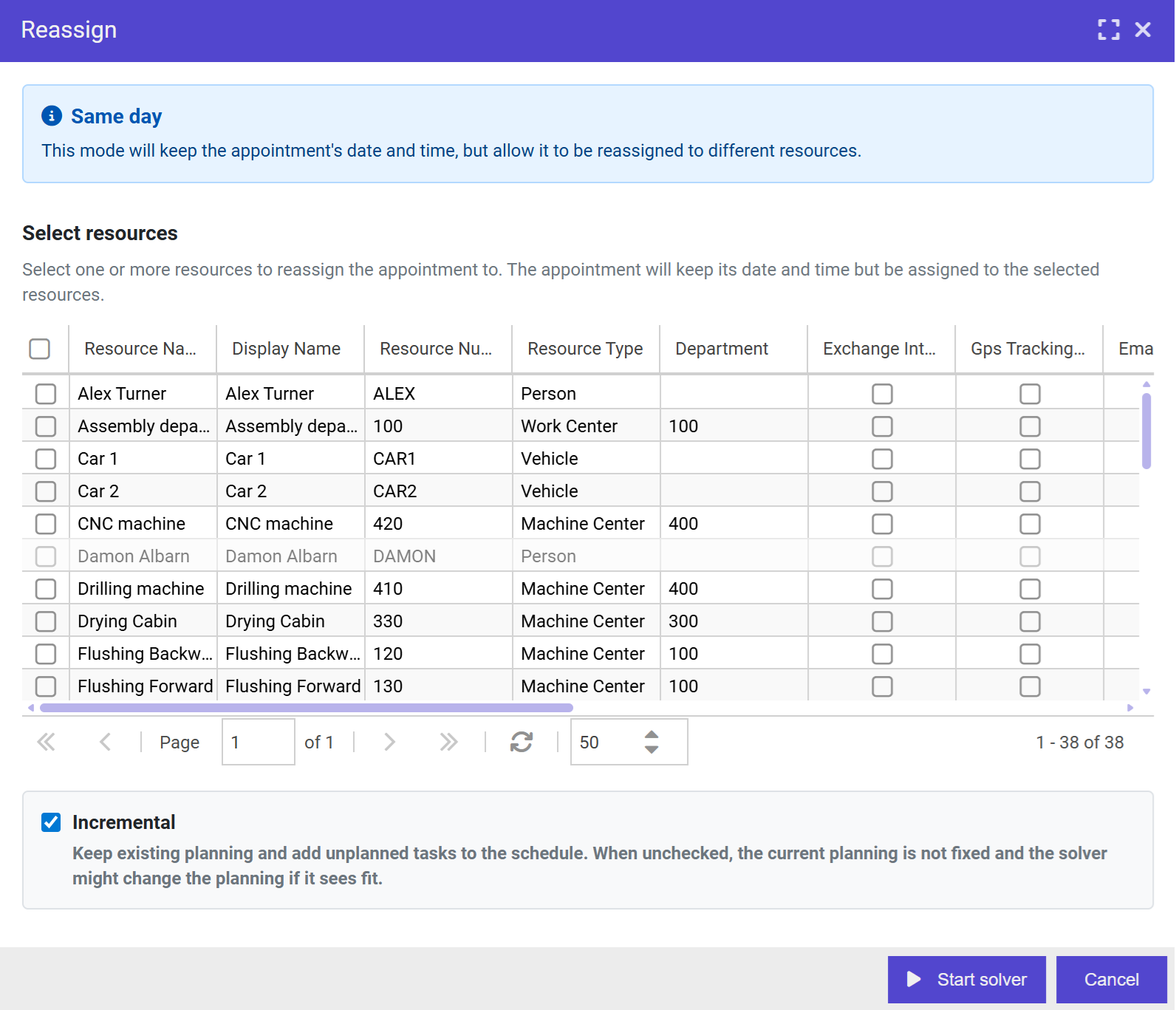
- Keep date: The solver will keep the date/time but may reassign appointments to different resources
Automatic reassign: Keep date
When selecting "Keep date", you can configure the solver options in the configuration window:
Automatic reassign: Keep resource
When selecting "Keep resource", you can configure the solver options in the configuration window:
Incremental planning
All solver configuration windows include an Incremental mode option. When enabled:
- The current planning will not be modified
- The solver will only add new appointments without changing existing ones
When incremental mode is disabled:
- The solver has full freedom to optimize the schedule
- It is likely to find a better overall score by reassigning and rescheduling appointments
The algorithm generates a score based on the weight configuration of the planning variables. In incremental mode, modifying the existing plan is penalized severely, to such an extent that a reasonable score cannot be achieved by changing pinned items. However, it is possible that the current schedule is so inefficient that rescheduling pinned appointments would actually improve the plan. When this occurs, it may indicate incomplete data, and the solver may never produce good results.
User Permissions
The VRP solver features are protected by the Optimization user action. Administrators can configure which user roles have access to these advanced scheduling algorithms in the Roles & User Actions settings.
Configuration
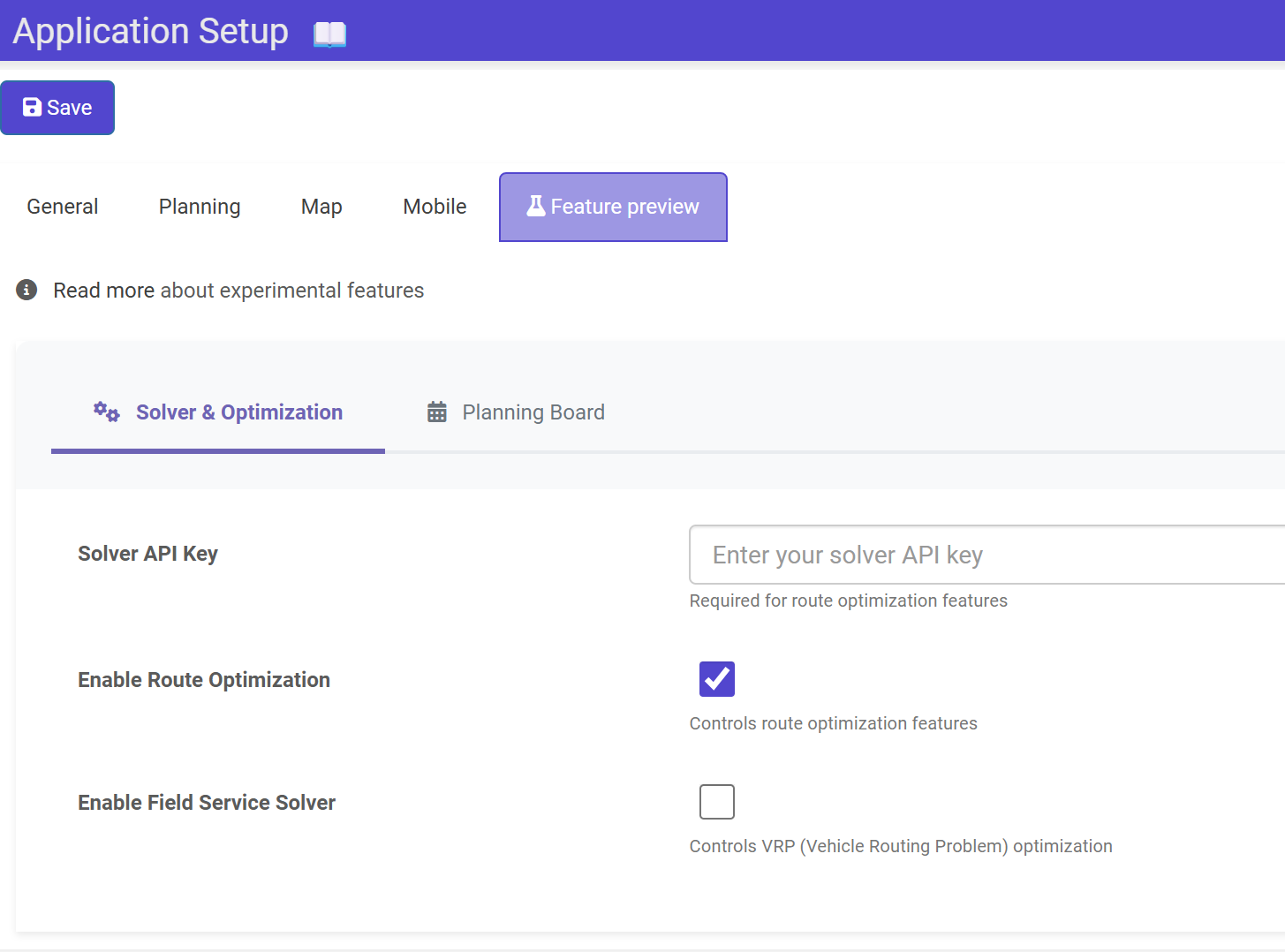
The VRP feature must be enabled in the preview features settings before use, and a solver API key must be provided to use the service.
License
These features are only accessible when the tenant has the advanced map optional extra activated.