Audit Log
Status: Release Candidate
This feature is a release candidate and is available for testing in the sandbox environment.
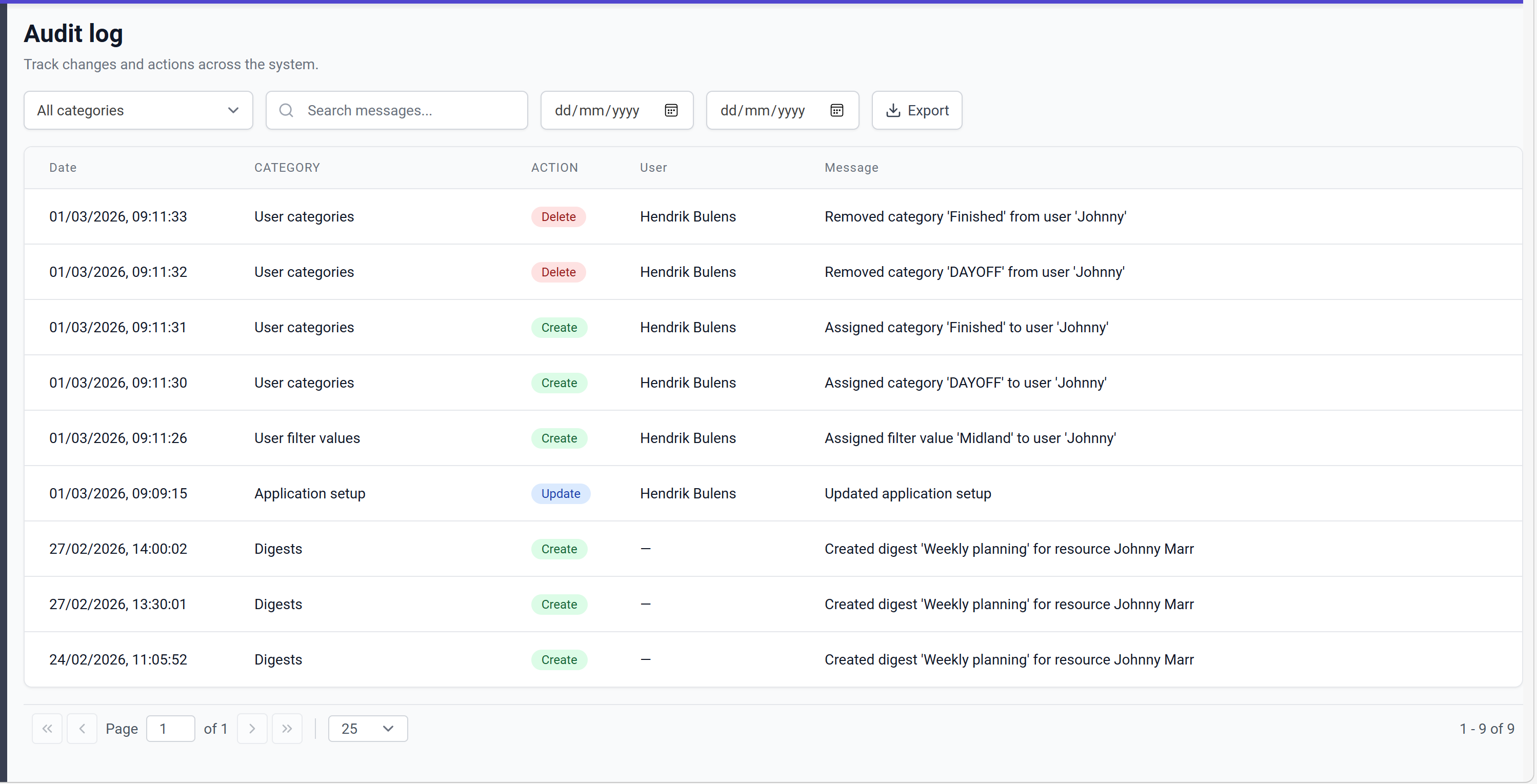
The audit log feature provides a comprehensive overview of all changes and actions performed across the administration pages in Dime.Scheduler. Every create, update, and delete action is tracked, giving administrators full visibility into who changed what and when.
Features
- Activity tracking: All changes in the administration pages are recorded with a timestamp, category, action type, user, and a descriptive message.
- Filtering: Filter audit entries by category, search messages, and narrow down by date range.
- Export: Export the audit log to a CSV file for further analysis or archival purposes.
Data retention
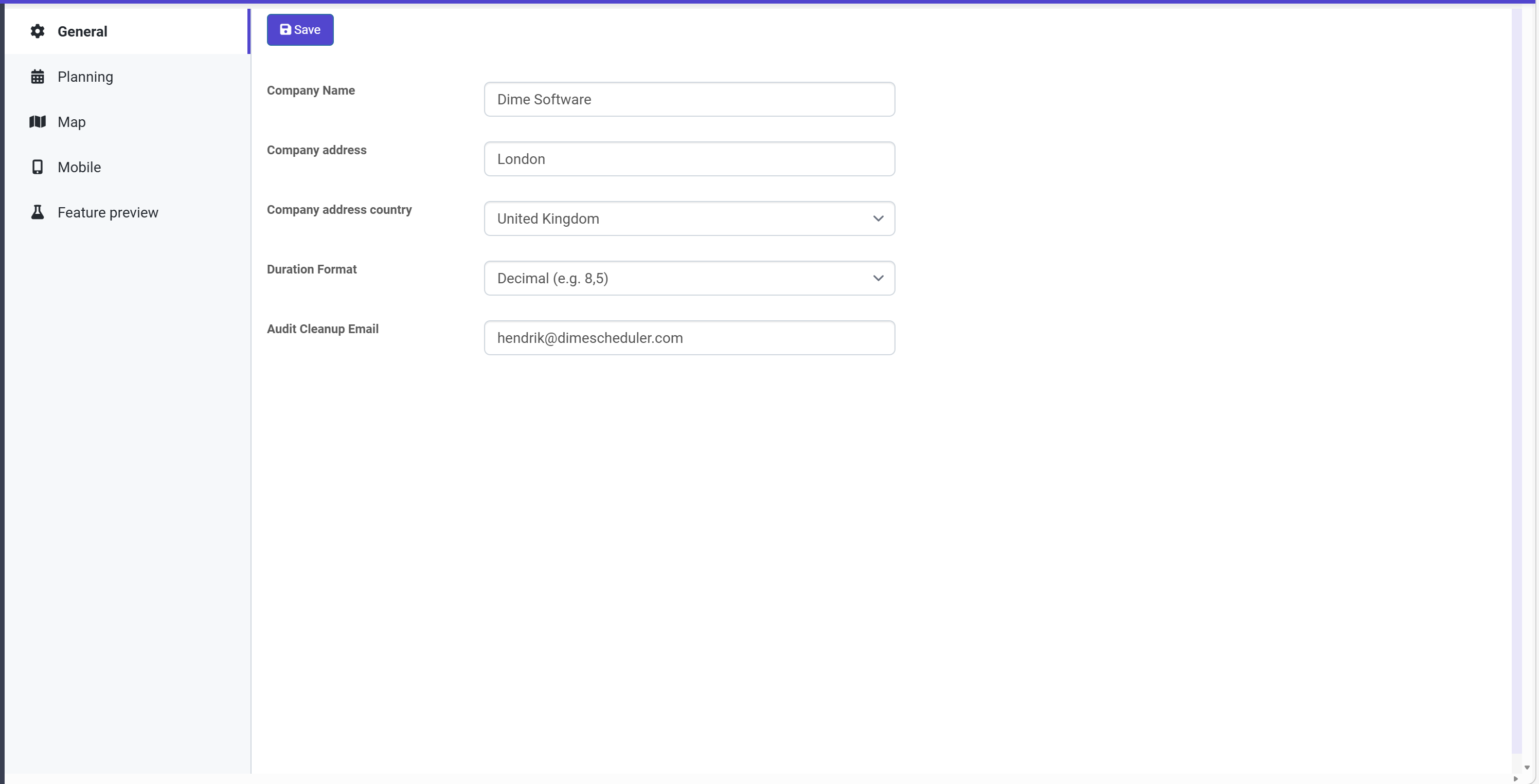
Audit log data is stored for 90 days. After 90 days, records are automatically cleaned up. Before removal, a CSV file containing the removed records is sent to the email address specified in the Audit Cleanup Email field in the application setup.
Tracked categories
The audit log tracks create, update, and delete actions across the following entities:
| Category | Create | Update | Delete |
|---|---|---|---|
| Action URLs | x | x | x |
| API keys | x | x | |
| Application setup | x | x | |
| Appointment fields | x | x | x |
| Appointment field options | x | x | x |
| Appointment sections | x | x | x |
| Appointment section fields | x | x | x |
| Appointment templates | x | x | x |
| Appointment template sections | x | x | x |
| Calendars | x | x | x |
| Calendar availability | x | x | x |
| Calendar days | x | x | x |
| Calendar day availability | x | x | x |
| Calendar weeks | x | x | x |
| Captions | x | x | x |
| Connectors | x | x | x |
| Data reset | x | ||
| Digests | x | ||
| Exchange rules | x | x | |
| Fields | x | x | x |
| Field template content | x | x | x |
| Languages | x | x | x |
| Links | x | x | x |
| Pane content | x | x | x |
| Pane groups | x | x | |
| Resources | x | x | x |
| Resource types | x | x | x |
| Roles | x | x | x |
| Role user actions | x | x | |
| Transactions | x | ||
| Users | x | x | x |
| User categories | x | x | |
| User filter values | x | x | |
| User groups | x | x | x |
| User group categories | x | x | |
| User group filter values | x | x | |
| User group profiles | x | x | x |
| User group roles | x | x | |
| User group time markers | x | x | |
| User profiles | x | x | x |
| User roles | x | x | |
| User time markers | x | x |