Traveling Salesman Problem (TSP)
This feature is available as a release candidate.
What is the Traveling Salesman Problem?
The Traveling Salesman Problem (TSP) is a classic optimization problem in computer science and operations research. It asks:
Given a list of cities and the distances between each pair of cities, what is the shortest possible route that visits each city exactly once and returns to the origin city?
While the problem is computationally challenging (NP-hard), it has many practical applications in logistics, planning, and route optimization. In field service and sales contexts, the TSP helps minimize travel time and distance when visiting multiple locations.
Round trips
We've added capabilities to the planning board, map, and route sequence components to support daily round trips for resources. This is the fundamental building block that enables us to optimize round trips.
The starting and ending location is the address of the resource (home or actual), and everything in between is up for grabs. The TSP solver can optimize all the waypoints on a route, helping minimize travel time and distance for traveling salespeople and field service teams.
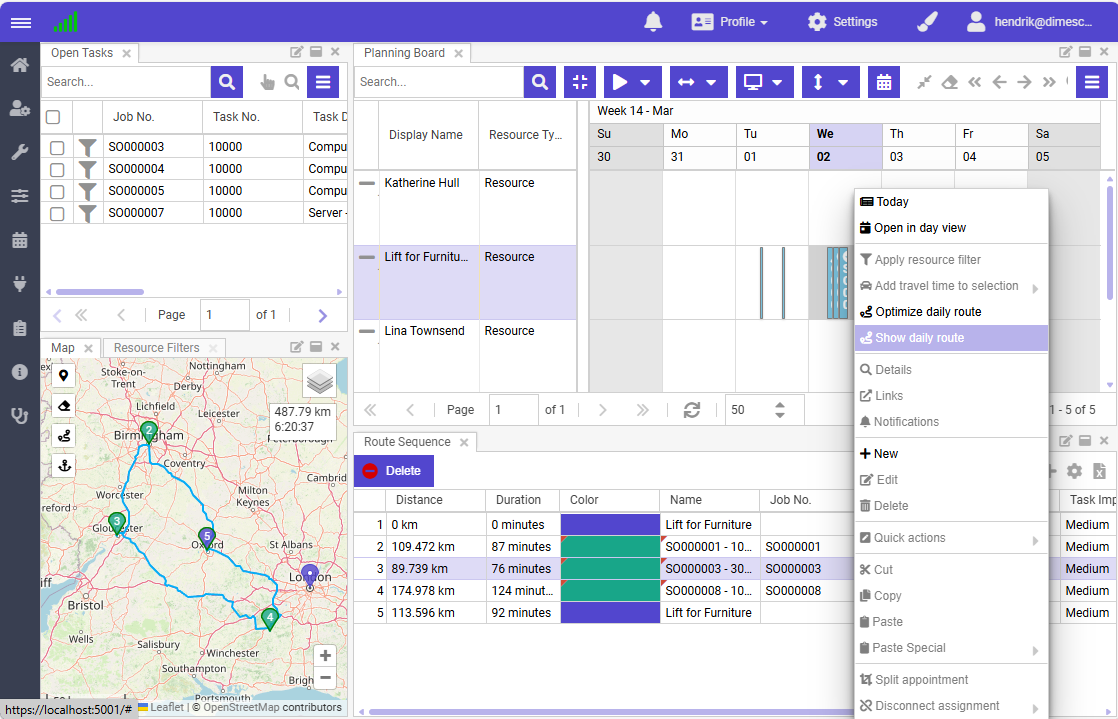
To create a round trip:
- Select a cell on the planning board
- Press R, or right-click to open the context menu and click Show daily route
This creates a round trip on the map and displays it in the route grid.
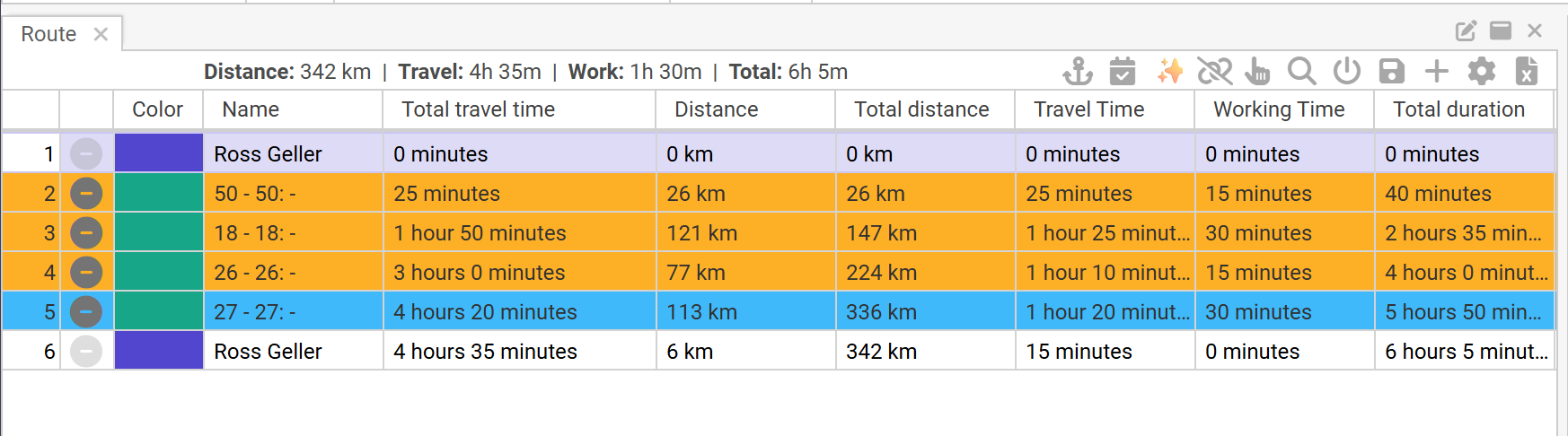
A series of new columns in the route grid displays the accummulated travel and working time.
Optimize route
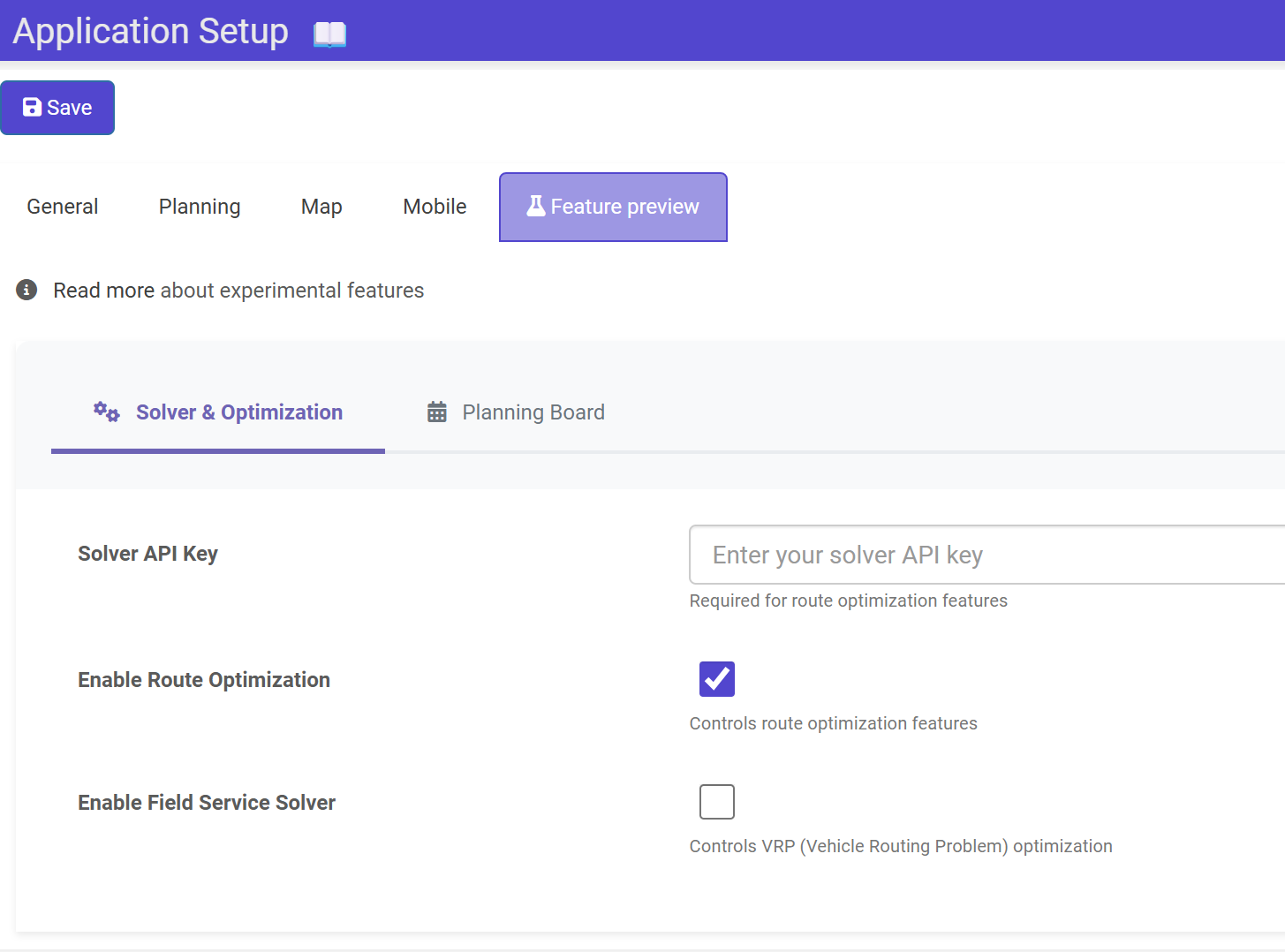
The TSP feature must be enabled in the preview features settings before use. Also, this feature is only accessible when the tenant has the advanced map optional extra activated:
To optimize the route, click the sparkle button:
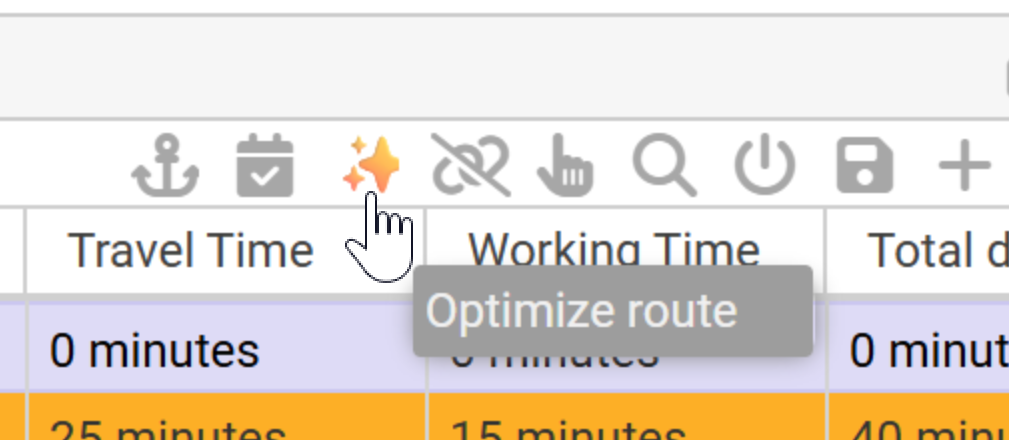
This will invoke the optimization algorithm and will update the route on the map and route sequence, if it found a better route.
Like the other capabilities to manipulate the route, the optimized route button does not apply any changes to the planning. This is where the next new button comes into play.
Update daily planning
If desired, the planner can add more appointments to the round trip, or add open tasks to the daily route - and optimize that route accordingly.
When the planner is satisfied with the daily route, he can then confirm the planning and update it on the planning board:
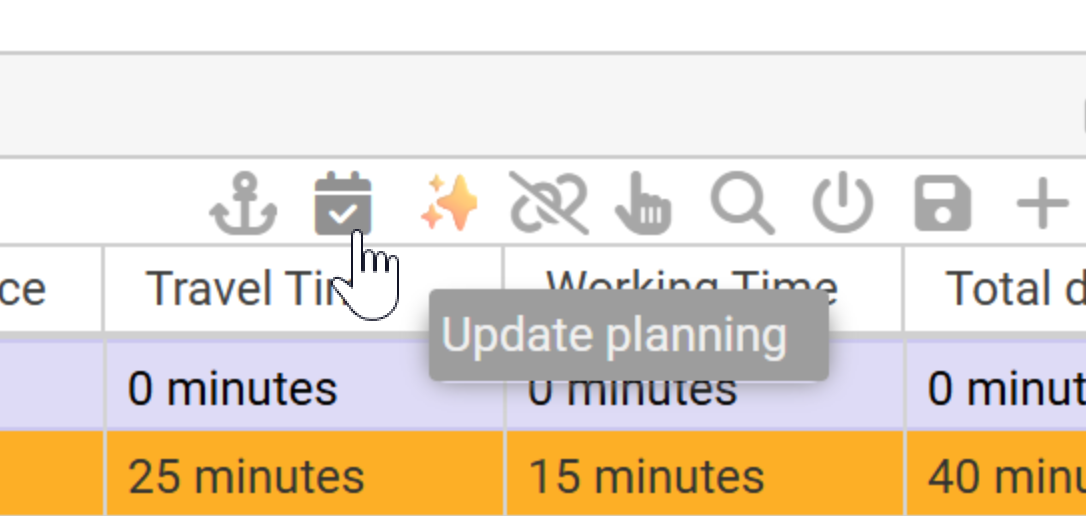
Upon invocation of the button, Dime.Scheduler will update the planning and will publish them to the online users and the connected systems.