Exchange Connector
The connector syncs appointments in real time, both ways: Dime.Scheduler pushes the planning into Outlook, and the changes resources make in Outlook flow back to the board.
The Exchange connectorConnectorAn integration that links Dime.Scheduler to a back-office system, routing data in and scheduling decisions back out. keeps the appointmentsAppointmentA task scheduled to a resource for a specific period - the scheduled instance you see on the planning board. in your resourcesResourceAn entity that can carry out work - a person, vehicle, tool, or room - that you schedule on the planning board.' Outlook calendars in sync with their planning in Dime.Scheduler. It runs on Microsoft Graph, the developer platform behind Microsoft 365, and syncs in real time, in both directions.
Two-way sync

Appointments a planner schedules in Dime.Scheduler appear in the resources' Outlook calendars, and changes those resources make in Outlook flow back into the planning. That two-way flow is what makes the connector bidirectionalBidirectional synchronizationTwo-way data flow between Dime.Scheduler and a back-office system: work comes in, scheduling decisions go back out..
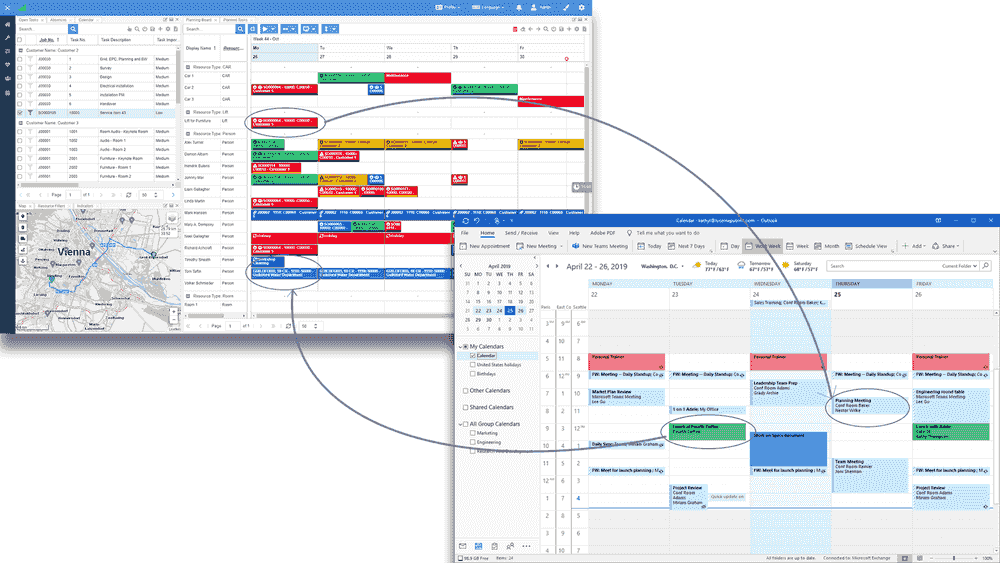
The connector is the integration component in the middle. One side listens for changes on the planning boardPlanning boardThe main graphical scheduling surface where dispatchers drag tasks onto resources across a timeline. and pushes them into Outlook; the other side is notified by Microsoft when a calendar changes and adjusts the planning to match.
How it fits together
The connector ties Dime.Scheduler and Exchange together through the Graph API, driven by the settings administrators configure in Dime.Scheduler and in the Exchange connector.
Microsoft Graph and app registration
The connector does its work through Microsoft Graph. That's why setup starts with registering a Microsoft Entra ID app: it's how your client decides exactly which permissions an external application is granted.
Each direction is optional
You can opt in to each flow independently:
- Don't need the planning traced into Outlook? Switch that flow off in the Exchange administration.
- Don't want resource calendars affecting the planning board? Leave the bidirectional flow off (the default) on the Exchange setup page.