Resource capacity
This feature is a release candidate and is available for testing in the sandbox environment.
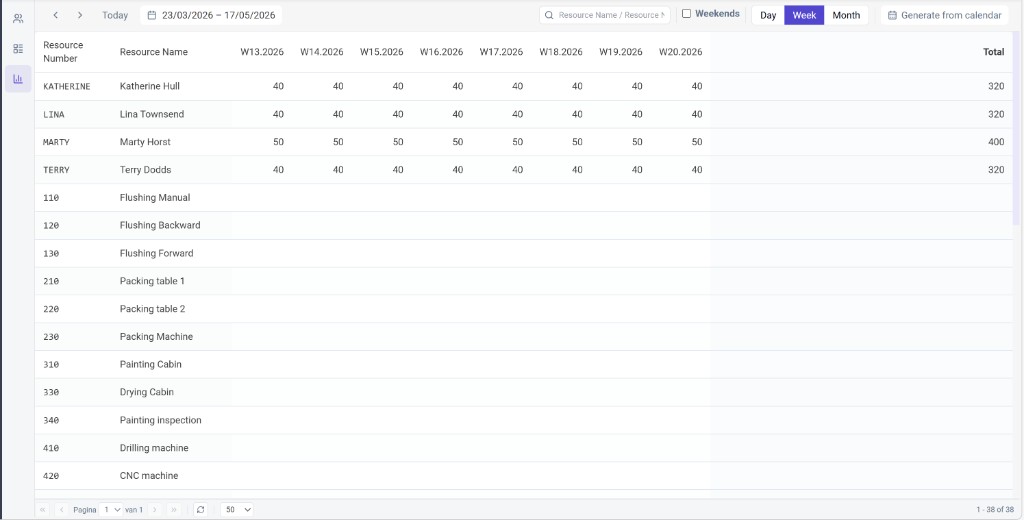
Resource capacity entries are maintained in the application on the Resource capacity screen. You can view and edit values in the grid: each row is a resource and the columns are time buckets (day, week, or month, depending on the view). Use the date range, search, and view options to work across the horizon you need.
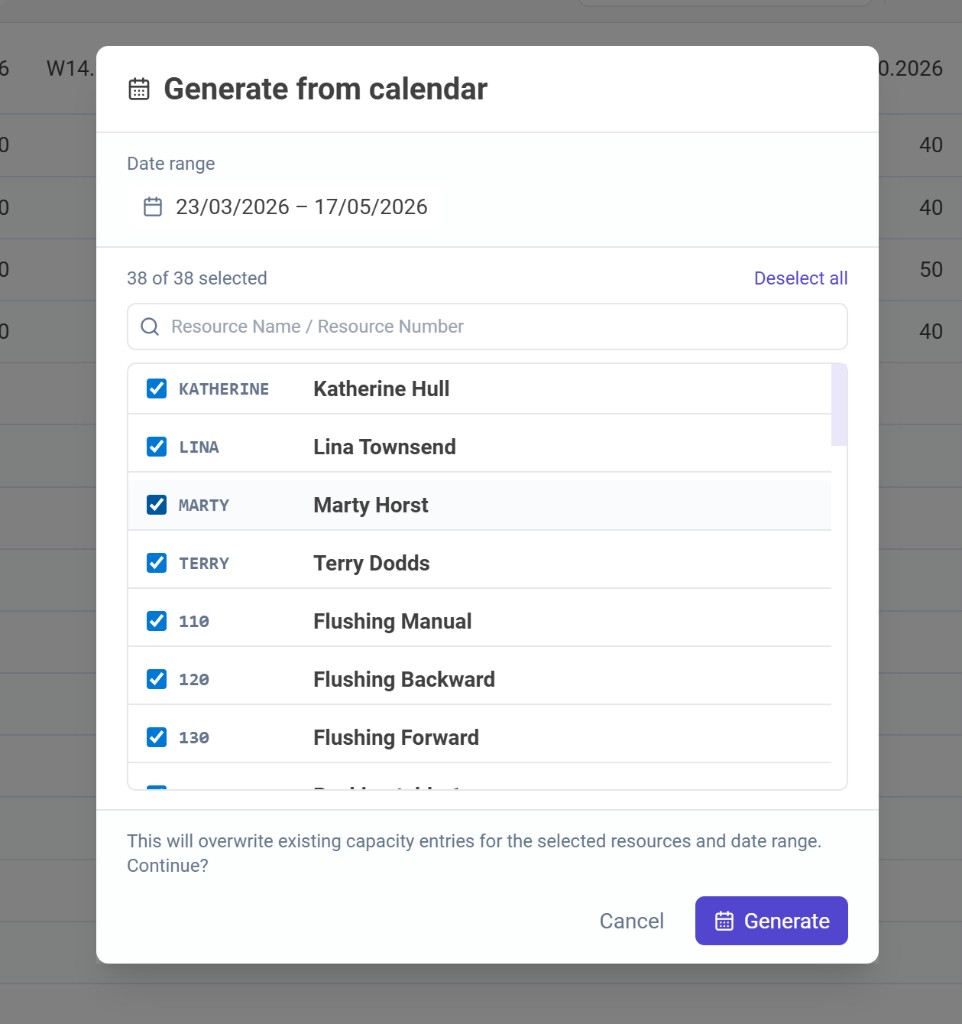
An optional Generate from calendar action (with a calendar icon) opens a dialog where you set the date range and select which resources to include. The app then creates capacity entries from each resource’s calendar configuration (business hours, overrides, and assignments).
Generating overwrites existing capacity entries for the selected resources and date range, as confirmed in the dialog before you run it.