Model Context Protocol (MCP)
This page is about the MCP server for the Dime.Scheduler application - it lets an AI agent work with your planning data (tasks, appointments, resources). It is not the MCP server for the documentation site. To let an agent search and read these docs, see the documentation MCP server instead.
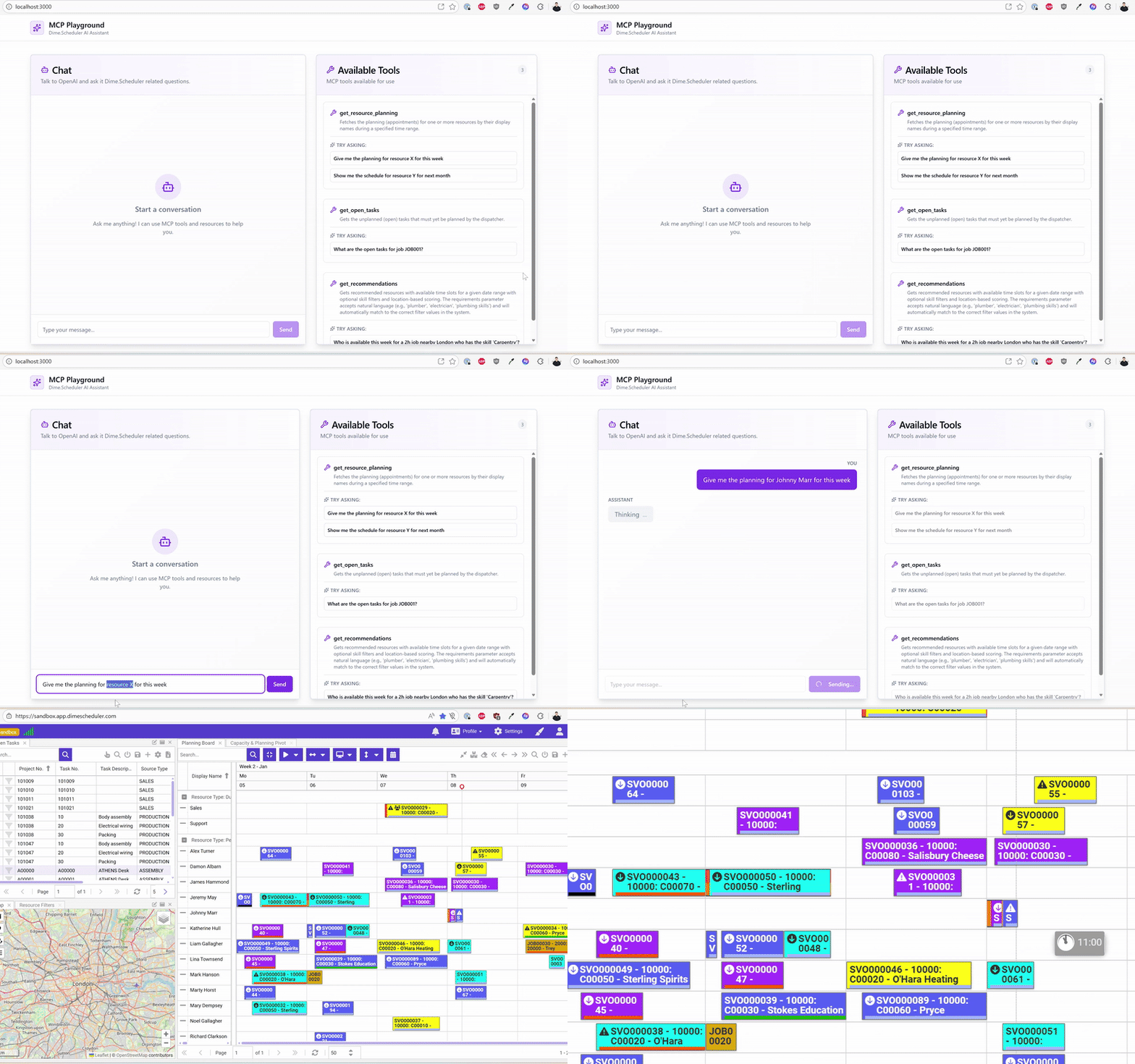
Connect Dime.Scheduler to any MCP-compatible AI assistant and let your customers plan from a chat window. The Model Context Protocol (MCP) is an open standard that lets AI assistants reach external systems through a uniform JSON-RPC interface. The Dime.Scheduler MCP serverMCP serverThe Model Context Protocol endpoint that exposes scheduling operations as tools to AI assistants. It is authenticated with API keys and translates tool calls into Dime.Scheduler API calls. exposes the most common scheduling operations - listing tasksTaskA unit of work that belongs to a job. It appears in the open task list until it is scheduled to a resource., finding available resourcesResourceAn entity that can carry out work - a person, vehicle, tool, or room - that you schedule on the planning board., creating and rescheduling appointmentsAppointmentA task scheduled to a resource for a specific period - the scheduled instance you see on the planning board. - as MCP tools that any compliant client can call.
What you can do with it
With an MCP-capable assistant connected to Dime.Scheduler, you can:
- Ask in plain language - "Who is available next Tuesday afternoon for a 2-hour electrical job in Antwerp?"
- Schedule and reschedule appointments - create, move, reassign, or cancel work orders directly from chat.
- Inspect the planning - pull a resource's calendar for the week, search appointments, or look up open tasksOpen taskA task that has not been scheduled yet. It waits in the open task list to be placed on the planning board..
- Discover the right resource - match jobsJobA high-level container, comparable to a project, that bundles related tasks together with common information such as customer, billing, and address. to skillsSkillA qualification a resource holds and a task can require, typically modeled as a filter group. Skills drive resource filtering, the project team view and the solver’s choice of who can do what., location, and availability through the recommendationRecommendationA ranked suggestion of resources for a job, matched on skills, location and availability. Available through the API and through the MCP server’s recommendation tool. tool.
- Drive automations - embed Dime.Scheduler tools in larger AI workflows alongside calendars, CRMs, and ticketing systems.
How it fits in the integration landscape
| Connector | Audience | Style |
|---|---|---|
| Business Central / NAV | Back-office sync | Bidirectional, transactional |
| Exchange | Calendar sync | Bidirectional, scheduled |
| Webhooks | Custom downstream systems | Outbound, event-driven |
| Zapier / Logic Apps | No-code automation | Bidirectional, workflow |
| MCP | AI assistants and agents | On-demand, conversational |
MCP complements the existing connectors: it does not replace your back-officeBack officeThe ERP or business system Dime.Scheduler plans for - most often Microsoft Dynamics 365 Business Central. It owns the master data and remains authoritative over what it receives. sync, but it unlocks a new conversational entry point on top of the same data.
Architecture
AI assistant (Claude, Cursor, …)  ──►  MCP client
                                              │  JSON-RPC over Streamable HTTP
                                              ▼
                            https://<env>.api.dimescheduler.com/mcp
                                              │
                                              ▼
                                  Dime.Scheduler API
Every request is authenticated with the same API keysAPI keyA credential that authenticates calls to the Dime.Scheduler API. The preferred way to integrate over the deprecated JWT flow. you already use for the public API. The MCP server is stateless - it translates tool calls into Dime.Scheduler API calls and streams the results back to the assistant.
What's exposed
The MCP server exposes three kinds of capabilities. Most of the work happens through tools, but resources and prompts complement them in important ways.
- Tools - actions the agent can call (search, create, reschedule, optimize, ...).
- Resources - read-only data sources the agent can pull as standing context without consuming a tool call.
- Prompts - pre-built workflows the agent can run end-to-end.
Tools
The server exposes tools across the following areas. Each is documented on its own page:
- Tasks & Jobs - list open tasks, search tasks and jobs.
- Resources - search resources, inspect skills and capacity, find available slots, get recommendations.
- Appointments - search, inspect, create, update, reschedule, and delete appointments.
- Optimization - generate optimal route and assignment plans.
- Messaging - send real-time messages and inspect notificationsNotificationA message from the back office attached to a task, an appointment or the whole tenant. The notifications component lists them, and a colored vertical bar on the appointment signals their severity..
- Reference data & utilities - categoriesCategoryA visual indicator (a color) applied to appointments to classify or label them., time markersTime markerA visual indicator on an appointment, separate from its category, used to flag a status or condition at a point in time., relative-time parsing.
Resources
Resources are addressable via dimescheduler://... URIs. Reading a resource returns up-to-date data without consuming a tool call, which is useful for keeping standing context (e.g. the current notification stream, the resource roster, the list of categories) cheap.
| URI | Purpose |
|---|---|
dimescheduler://today/open-tasks | The current set of unplanned (open) tasks. Use this instead of a dedicated tool call for the queue snapshot. |
dimescheduler://resources | The complete resource roster with basic info. Use this when you want the full list - for filtered lookups, prefer search_resources. |
dimescheduler://resource/{resourceDisplayName}/location | Most recent GPS ping for a specific resource. Templated: substitute {resourceDisplayName} with the resource's DisplayName from the dimescheduler://resources resource. Returns null when no GPS exists. |
dimescheduler://recommendation/scorers | The scoring strategies available to get_recommendations. |
dimescheduler://categories | All appointment categories. |
dimescheduler://time-markers | All time markers. |
dimescheduler://notifications/recent | The most recent 50 notifications for the tenant - newest first, including severity, code, message, related entity ids and timestamp. Use as standing context to surface schedule changes, errors, and import warnings. |
Prompts
Prompts are pre-built workflows. Each one bundles a sequence of tool calls and resource reads into a guided procedure that the agent walks through end-to-end. They all share one rule: propose, don't act - the agent stops to confirm with the dispatcher before making destructive changes.
| Prompt | Purpose |
|---|---|
optimize-and-explain | Run field-service optimization for one or more resources over a date range and explain the trade-offs (BEFORE vs AFTER, travel time delta, distance delta, reassignments). Wraps optimize_field_service. |
cancel-and-notify | Cancel one resource's appointments for a given date and notify them. Composes search_appointments + bulk_delete_appointments + send_message, with explicit confirmation before any deletion. |
find-conflicts | Inspect a date's schedule for double-bookings, impossible travel times, and unmarked travel gaps. Reads dimescheduler://resources and calls get_resource_planning per resource. |
audit-resource-day | Inspect one resource's full day - planned appointments, gaps, conflicts, and GPS movement. Useful for end-of-day review or "what did Sarah actually do today?" questions. |
balance-workload | Assess workload distribution across resources for a date range and propose rebalancing for outliers. Computes utilization, flags > 90% (overbooked) and < 40% (underbooked), suggests reassignments without applying them. |
onboard-task | Guided workflow to schedule a single task: confirm details, find the best resource through get_recommendations, present top candidates, and call create_appointment once the dispatcher picks one. |
triage-open-tasks | Walk through the open tasks queue and propose assignments. Reads dimescheduler://today/open-tasks and dimescheduler://resources, then proposes a create_appointment per task without creating anything until the dispatcher confirms. |
Next steps
- Check the Prerequisites.
- Pick the right endpoint and authentication for your environment.
- Connect your favorite MCP client - Claude Desktop, Cursor, the MCP Inspector, or your own.
- Try the example prompts to get a feel for what's possible.