Open-source playground
We maintain an open-source playground that wraps the Dime.Scheduler MCP serverMCP serverThe Model Context Protocol endpoint that exposes scheduling operations as tools to AI assistants. It is authenticated with API keys and translates tool calls into Dime.Scheduler API calls. in a working example application. It's the easiest way to see the tools in action without having to build a full MCP client yourself.
GitHub: dime-scheduler/mcp-examples
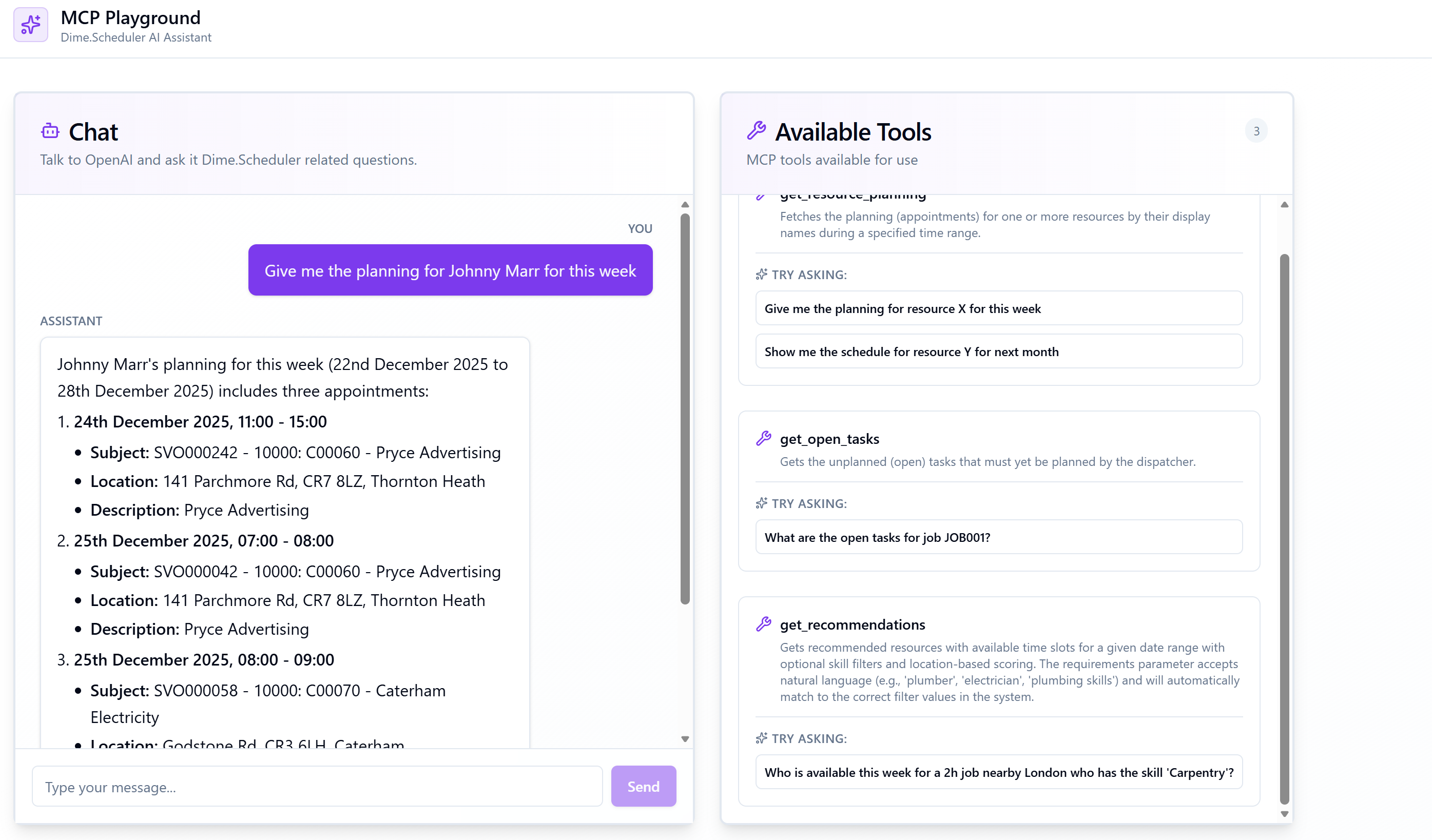
What's in the repository
The playground covers a handful of common scenarios:
- A minimal MCP client in TypeScript that connects to the Dime.Scheduler endpoint with an
X-API-KEYheader. - Sample prompts showing how to ask the assistant to find resources, schedule work, and inspect the planning.
- Notes on configuring the same server with Claude Desktop, Cursor, and the MCP Inspector.
It is a learning resource, not a production-ready application. Copy whatever is useful, raise issues, or open pull requests if you find a rough edge.
Running it locally
Clone the repository and follow the README. At a minimum you'll need:
- A recent version of Node.js (
>= 20). - A Dime.Scheduler API keyAPI keyA credential that authenticates calls to the Dime.Scheduler API. The preferred way to integrate over the deprecated JWT flow. for the sandboxSandboxThe separate Dime.Scheduler environment where upcoming features arrive before the production release. It has its own API host, sandbox.api.dimescheduler.com, so API clients target it explicitly. environment (see Prerequisites).
- Whatever client you want to drive the demo with - Claude Desktop, the MCP Inspector, or the SDK-based client included in the repo.
git clone https://github.com/dime-scheduler/mcp-examples
cd mcp-examples
# follow the README for the example you want to run
Contributing
If you have built an interesting integration on top of the Dime.Scheduler MCP server - a custom dispatcher chatbot, a Slack bot, a voice interface - we would love to hear about it. Open an issue on the repository or reach out via your usual support channel.