Planning board tooltips
Control what appears in planning boardPlanning boardThe main graphical scheduling surface where dispatchers drag tasks onto resources across a timeline. appointmentAppointmentA task scheduled to a resource for a specific period - the scheduled instance you see on the planning board. tooltips from the dedicated Tooltip screen.
The screen has a builder on the left and a field library on the right. Drag fields from the library into the active list, reorder them with the drag handles or the up/down controls, and remove items you no longer need. Use separators to add visual breaks between blocks of information.
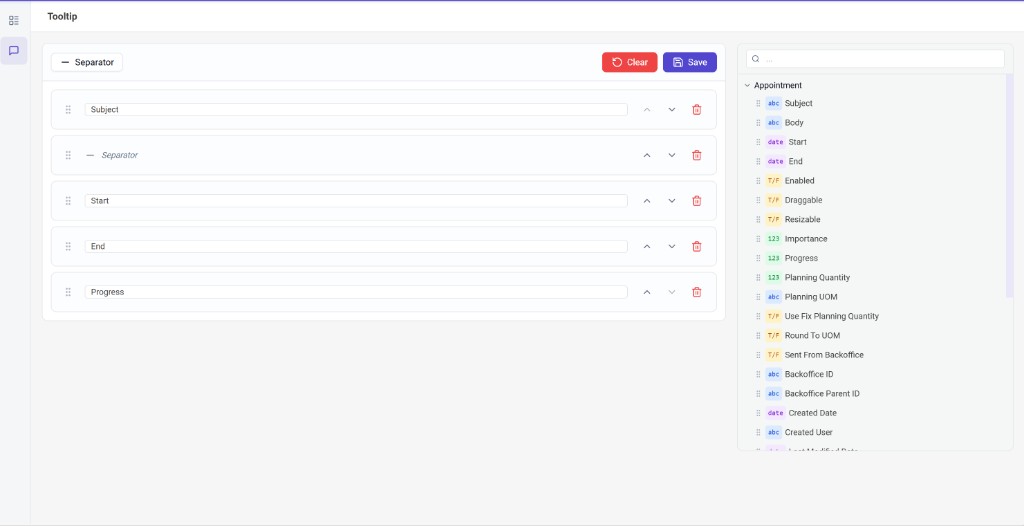
The tooltip itself is enabled application-wide via the Enable planning board tooltip setting on the application setup page.