Creating resources
A resource is a plannable entity in Dime.Scheduler. The 'Resource' action creates these resources from any source you connect through the Power Platform, and every field you populate in the action flows straight into Dime.Scheduler:
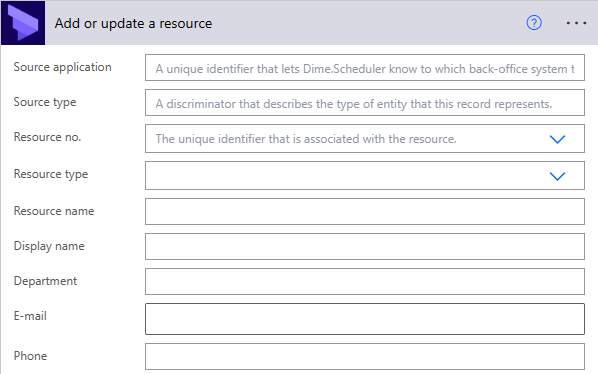
You can manage the following categories of information for a resource:
- Identifiers
- Names
- Groups (department, team, types)
- Contact details
- Address info
- Free fields
- Links
- Visual indicators
Every field is documented in the developer manual. The Resource No. field is mandatory, and it is what links the same entity across business systems. When you later schedule a task for this resource and want to process that appointment in your own application, the Resource No. lets you trace each scheduled appointment back to the resource you created in Dime.Scheduler.
You can manage other attributes too, such as resource filters, types, certifications, capacity, and live locations. The rule of thumb: a Resource No. must be specified to assign any of these attributes to the resource in the database.
Related entities
Beyond the master record, separate actions let you append or remove the following related entities:
- Resource calendars
- Resource filter values
- Resource actual location
- Resource capacity
- Resource URI