Categories
Syncing categoriesCategoryA visual indicator (a color) applied to appointments to classify or label them. to Outlook requires the MailBoxSettings.Read/Write application permission on the Microsoft Entra ID app registration. Without it, category mapping will silently fail. See Add permissions for the full permission set.
Map each Dime.Scheduler category to one of the 20 colors that Outlook supports, so appointmentsAppointmentA task scheduled to a resource for a specific period - the scheduled instance you see on the planning board. keep a consistent look once they sync to a user's mailbox.
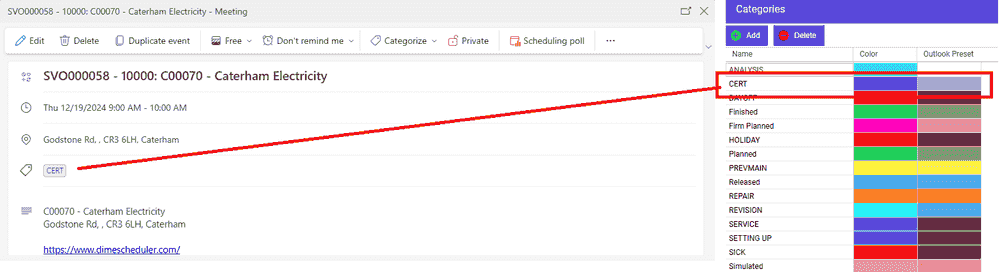
In the IndicatorsIndicatorCollective term for the visual signals - categories, time markers, pins, and tags - that identify and label appointments. setup, the Categories grid has an extra column, "Outlook Preset", listing the limited set of 20 colors available in Outlook. For each category in Dime.Scheduler, pick the Outlook color that comes closest.

When an appointment is pushed from Dime.Scheduler to Exchange, Outlook creates a category named after the Dime.Scheduler color and applies the Outlook preset color you chose:
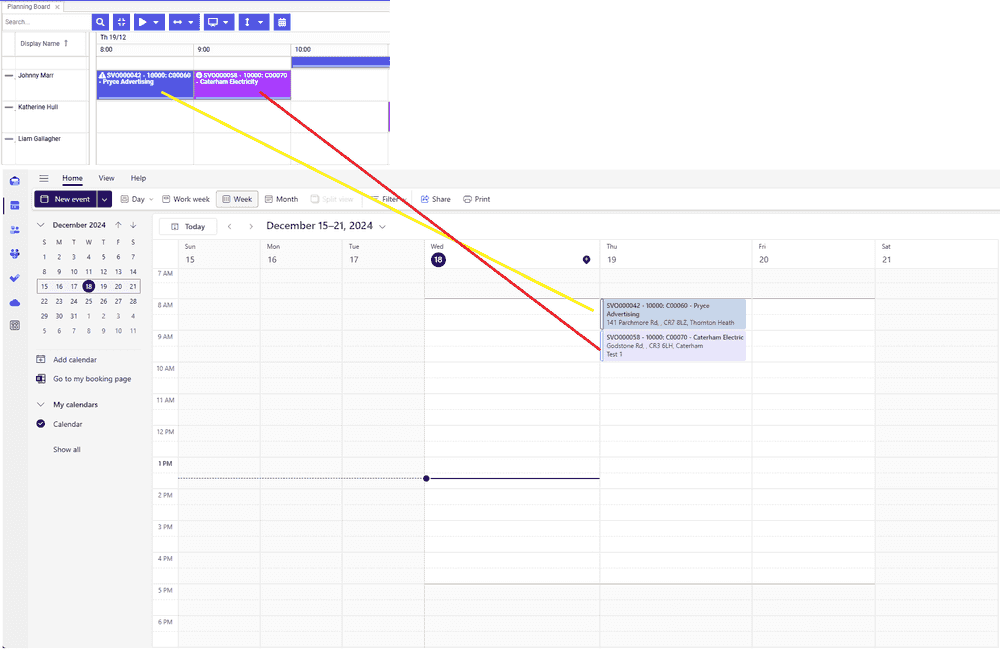
The category is clearly visible in the details page of the Outlook event: