Time Sheets
This module writes the hours as scheduled, off the back of the planning boardPlanning boardThe main graphical scheduling surface where dispatchers drag tasks onto resources across a timeline.. If you want the hours as actually worked, that is time registration. Both fill the same Business Central time sheetTime sheet (Business Central)The Business Central record that registers hours per employee. Dime.Scheduler can fill it from the plan (planned time) or from released time entries (time registration); running both for the same work registers the hours twice. table; see the overview for how to choose.
Every hour a planner schedules on the board is an hour someone will eventually have to register in Business Central. Done by hand, that means the same work is entered twice: once when it is planned, and again when the resourceResourceAn entity that can carry out work - a person, vehicle, tool, or room - that you schedule on the planning board. fills in a time sheet. This module closes that gap. The time your resources spend on the planning board flows straight into BC time sheets, so the registration happens automatically off the back of the plan you already made.
This module derives a time sheet entry from the plan: what the planner scheduled is what gets registered. It assumes the plan is a fair description of the day.
Time registration is the other route. There a resource records what they actually spent, and the claimClaimThe act of turning finished work sessions into a time entry for one task and one day. A claim can also be made directly without a session; only work sessions count, travel and waiting do not. they release is registered instead. That path suits work where the plan and the day diverge often enough that registering the plan would be wrong.
They are alternatives, not layers. Running both against the same work registers those hours twice, so pick the one that matches how your organisation accounts for time.
It works for the following modules:
To switch it on, open the FastTrack wizardFastTrack wizardThe setup wizard inside Business Central or NAV that connects it to Dime.Scheduler and switches on the modules to plan from. It writes the source app and creates the source types for each enabled module., enable the module you want, and tick the checkbox at the bottom:
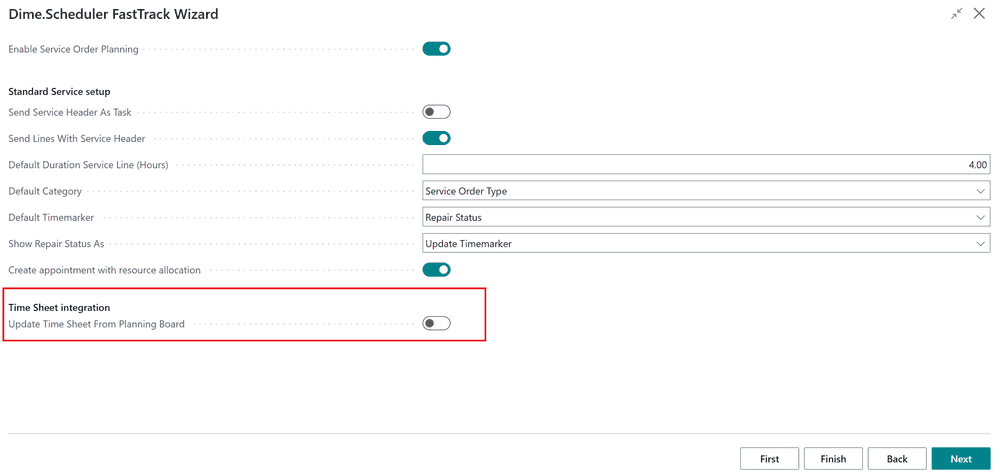
From then on, planning on the board produces the records it always did, the usual resource allocations or project planning linesJob planning lineThe Business Central record that books a resource on a project (job) task. Planning a project task in Dime.Scheduler creates or updates one., and additionally a time sheet entry for the associated employee. Anything you planned before enabling the option is left untouched by default, so turning this on only affects new planning rather than rewriting history.
For example, this planning:
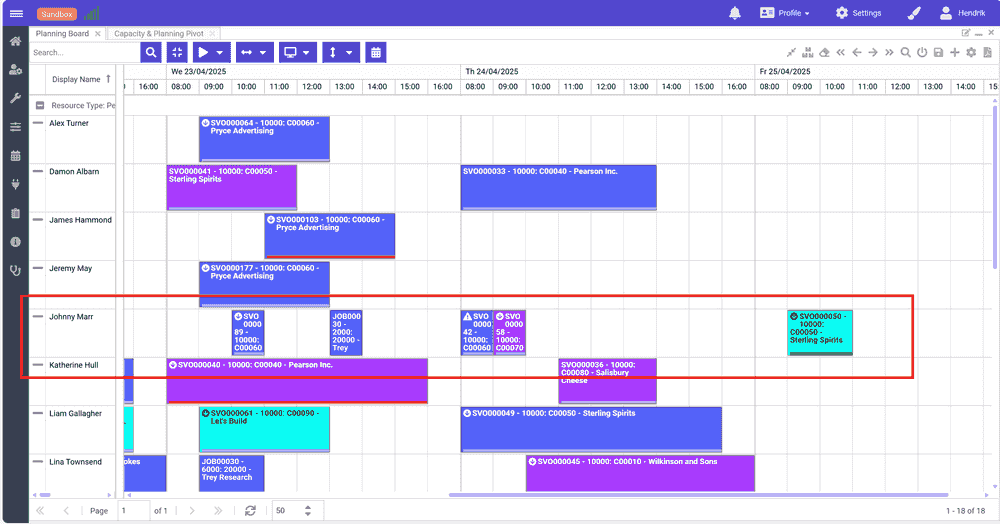
... is now also registered as time sheets:
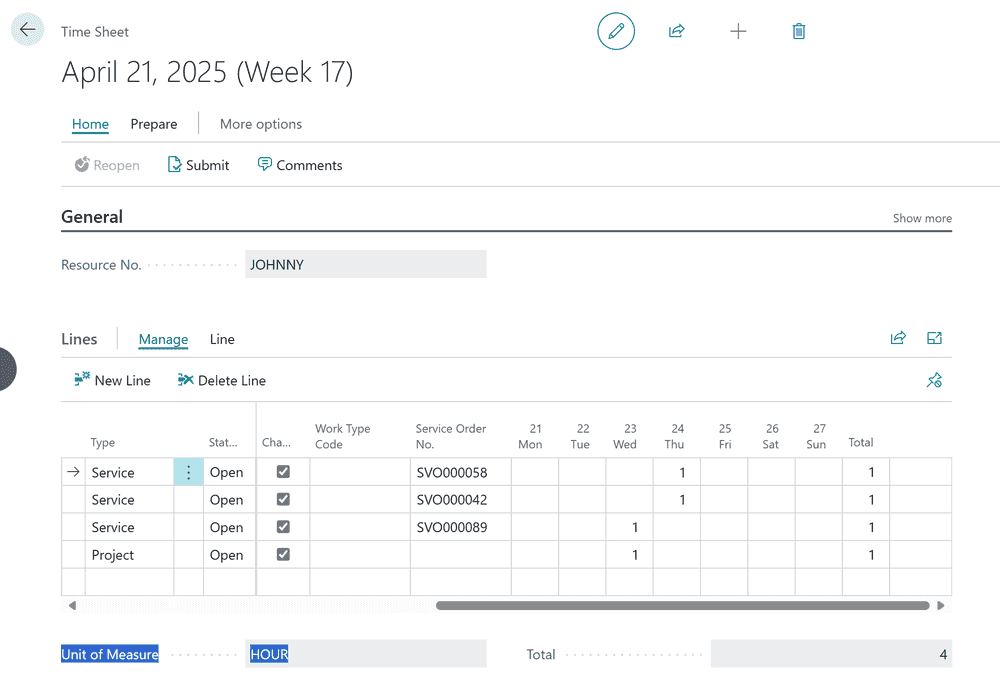
The entries land in standard BC time sheets, so everything downstream, approval, posting and reporting, behaves exactly as it would for time sheets entered any other way. This is all standard BC functionality.