Audit log
When a setting changes in your tenant, somebody made it change. The audit log is how you find out who, what, and when - whether you are tracing a misconfiguration back to its source, satisfying a compliance review, or just trying to understand why a calendarCalendarA definition of when work can happen, for the whole tenant or for specific resources: business hours, weekends and holidays. Calendars shade non-working time on the planning board and skip it in Gantt durations. suddenly looks different than it did last week.
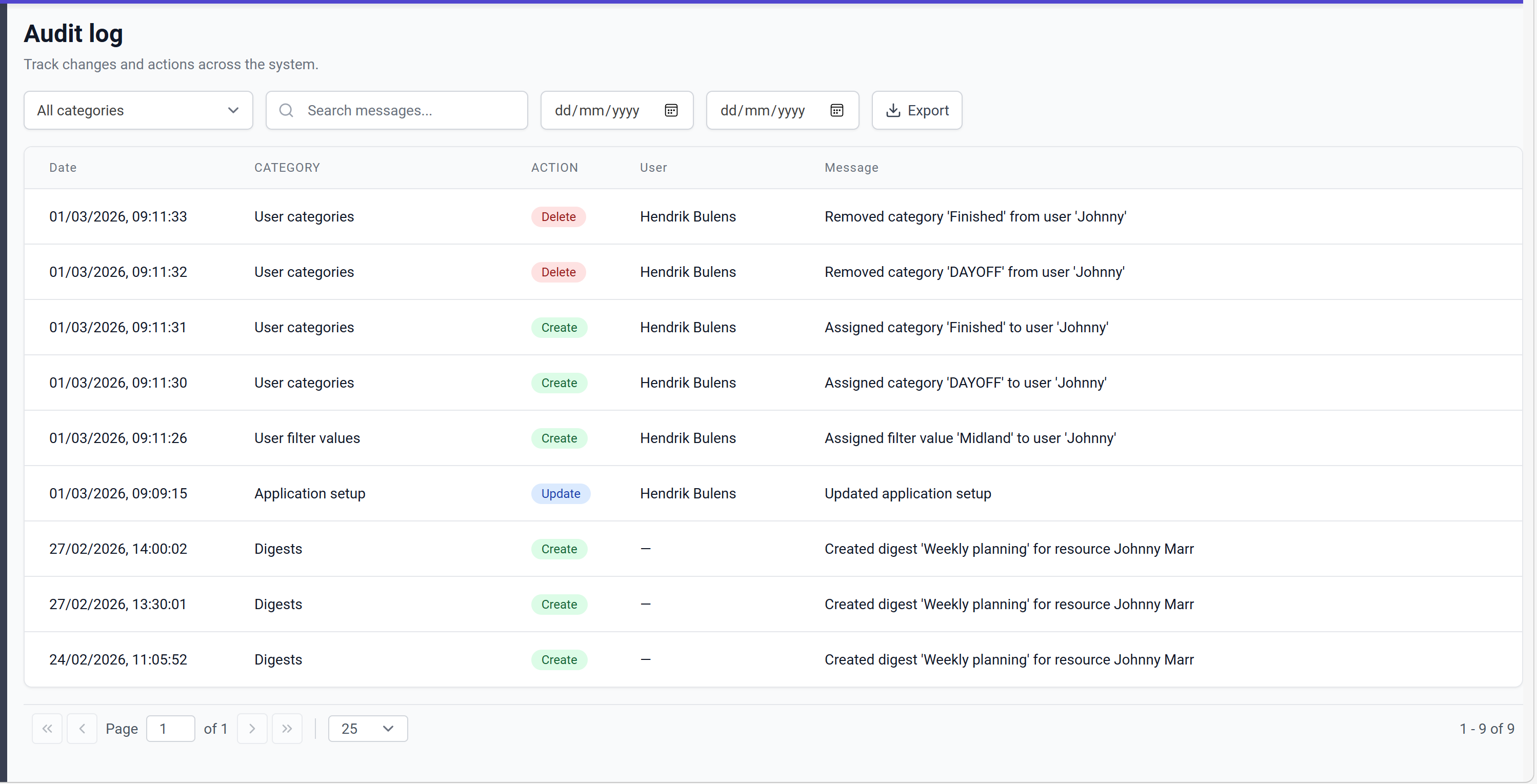
Every create, update, and delete action across the administration pages is recorded with a timestamp, the category of thing that was touched, the action type, the user who made the change, and a descriptive message. Nothing happens "silently" in the administration area - if a setting moves, it leaves a trail here.
Finding the entry you need
The grid grows quickly, so the page leans on three ways to narrow it down:
- Filter by category to scope to a single area (calendars, users, connectorsConnectorAn integration that links Dime.Scheduler to a back-office system, routing data in and scheduling decisions back out., and so on).
- Search messages for free-text matches when you know roughly what changed but not where it lives.
- Narrow by date range when you remember when, not what.
When you need to take an audit entry outside of Dime.Scheduler - to send to an auditor, to attach to a ticket, to archive - use the Export button to produce an Excel (.xlsx) file of the current view.
Data retention
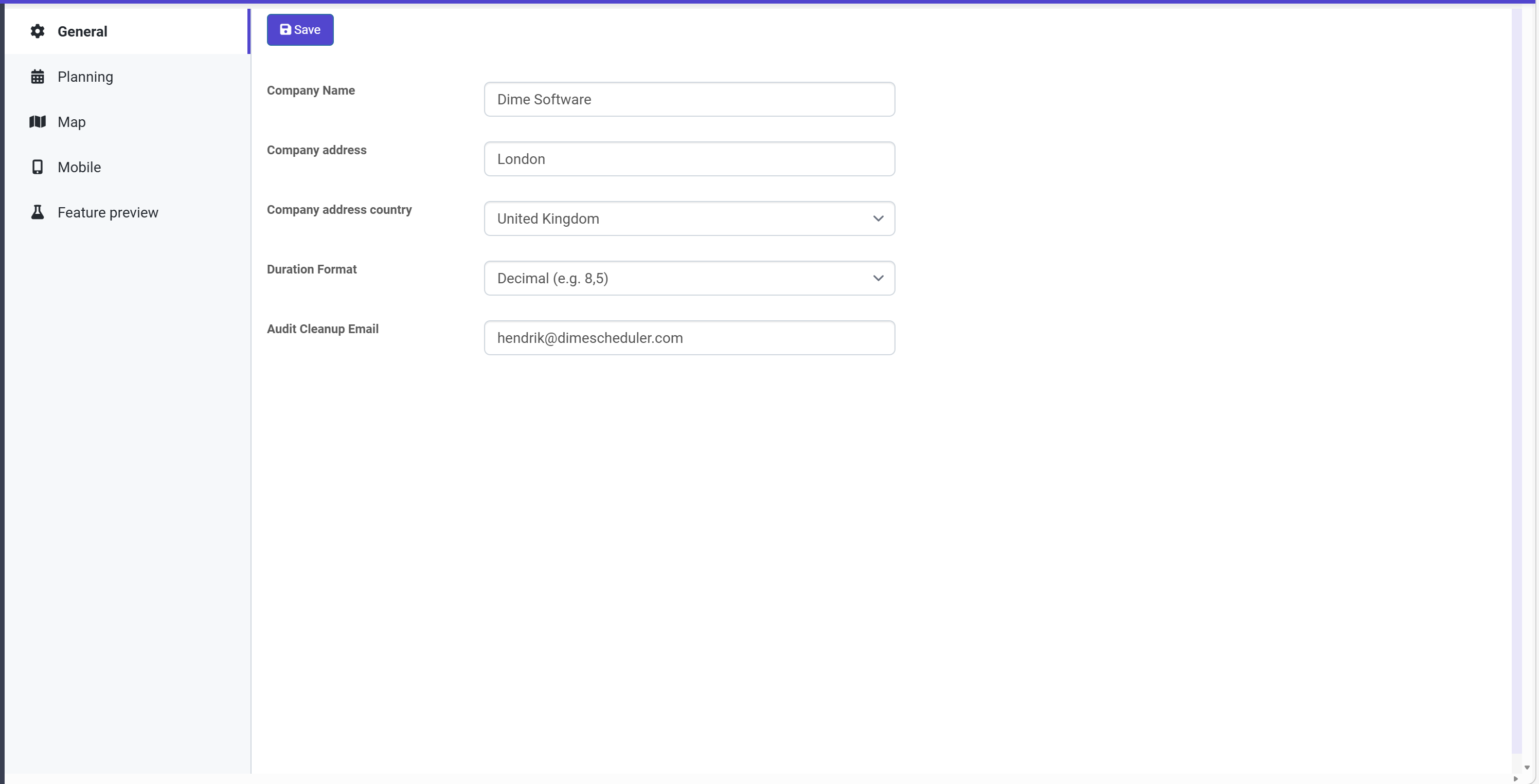
Audit log data is kept for 90 days, after which records are cleaned up automatically. Before removal, a CSV of the deleted records is sent to the email address configured in the Audit Cleanup Email field of the application setup. If you need a longer audit history, exporting the CSV (either through the dump or via the export button) is how you get it.
Reference: tracked categories
Create, update, and delete actions are tracked across the following entities:
| Category | Create | Update | Delete |
|---|---|---|---|
| Action URLs | x | x | x |
| API keys | x | x | |
| Application setup | x | x | |
| Appointment fields | x | x | x |
| Appointment field options | x | x | x |
| Appointment sections | x | x | x |
| Appointment section fields | x | x | x |
| Appointment templates | x | x | x |
| Appointment template sections | x | x | x |
| Calendars | x | x | x |
| Calendar availability | x | x | x |
| Calendar days | x | x | x |
| Calendar day availability | x | x | x |
| Calendar weeks | x | x | x |
| Captions | x | x | x |
| Connectors | x | x | x |
| Data reset | x | ||
| Digests | x | ||
| Exchange rules | x | x | |
| Fields | x | x | x |
| Field template content | x | x | x |
| Languages | x | x | x |
| Links | x | x | x |
| Pane content | x | x | x |
| Pane groups | x | x | |
| Resources | x | x | x |
| Resource types | x | x | x |
| Roles | x | x | x |
| Role user actions | x | x | |
| Transactions | x | ||
| Users | x | x | x |
| User categories | x | x | |
| User filter values | x | x | |
| User groups | x | x | x |
| User group categories | x | x | |
| User group filter values | x | x | |
| User group profiles | x | x | x |
| User group roles | x | x | |
| User group time markers | x | x | |
| User profiles | x | x | x |
| User roles | x | x | |
| User time markers | x | x |